

RFEM/RSTAB calculates equivalent dynamic load cases and load combinations that are processed from the Response spectrum/Time history analysis or other seismic loading extraction procedure. Such load effects can be also imported to IDEA StatiCa for analysis and code-check of structural details.

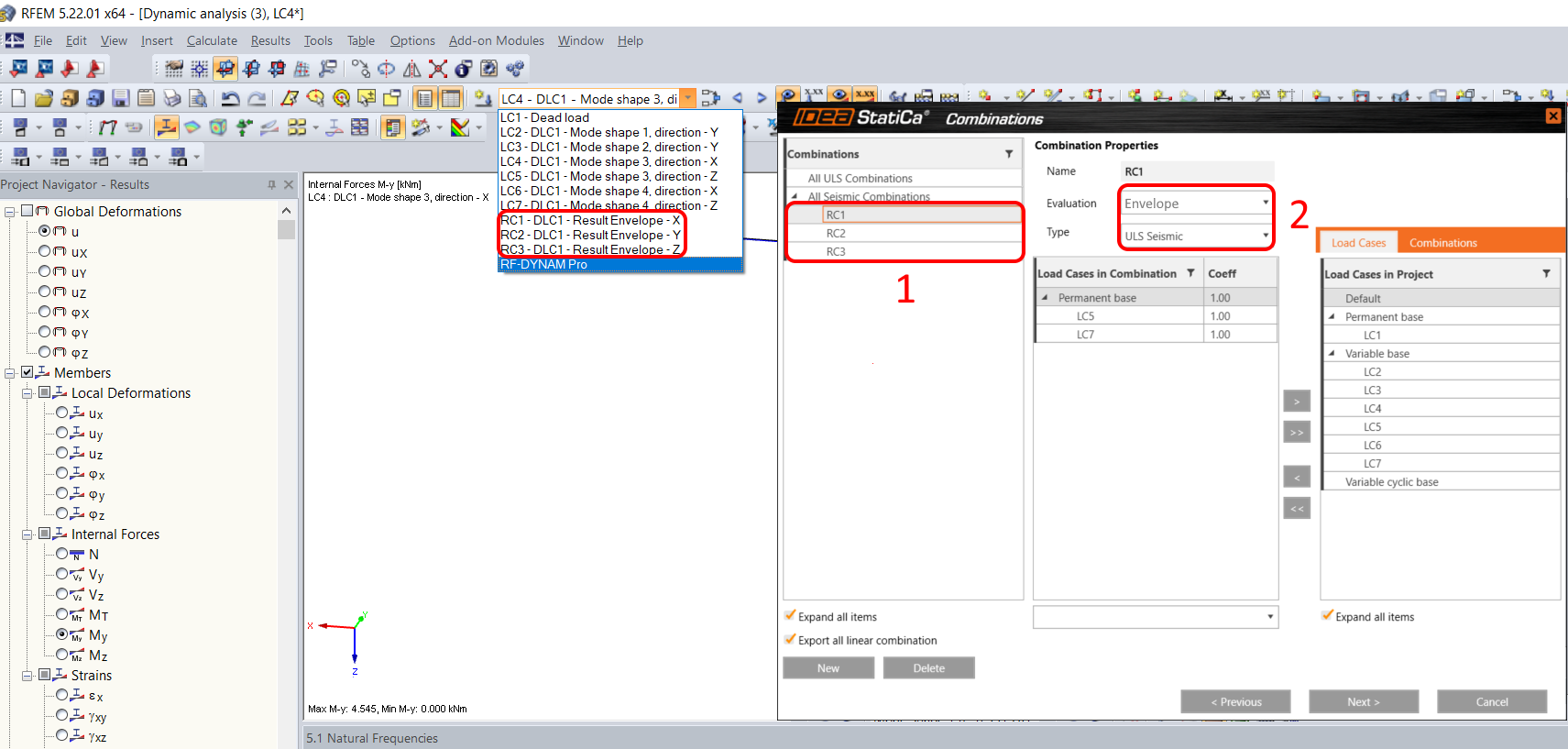
Next to the mode shapes for each direction, result class envelopes are created for each direction of X, Y, and Z.

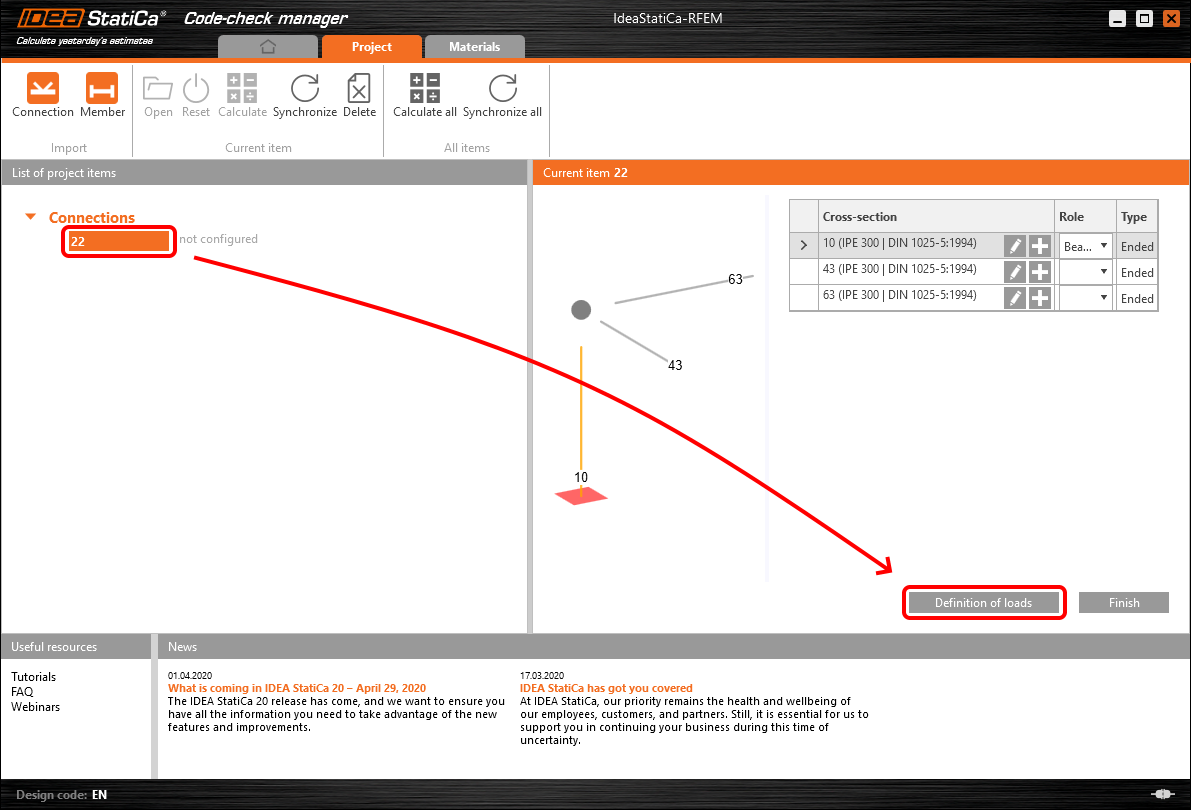
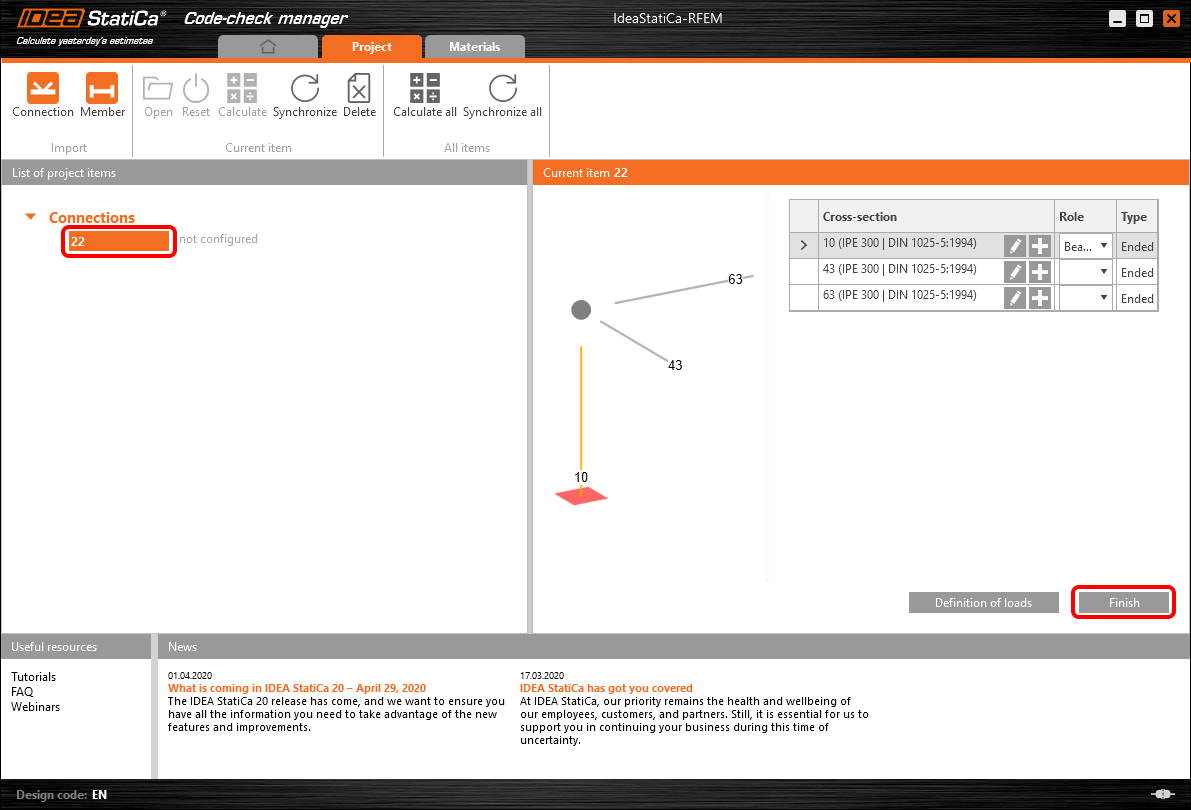
When you select and import a structural detail from RFEM/RSTAB to IDEA StatiCa, in the Code-check manager click the Definition of loads.
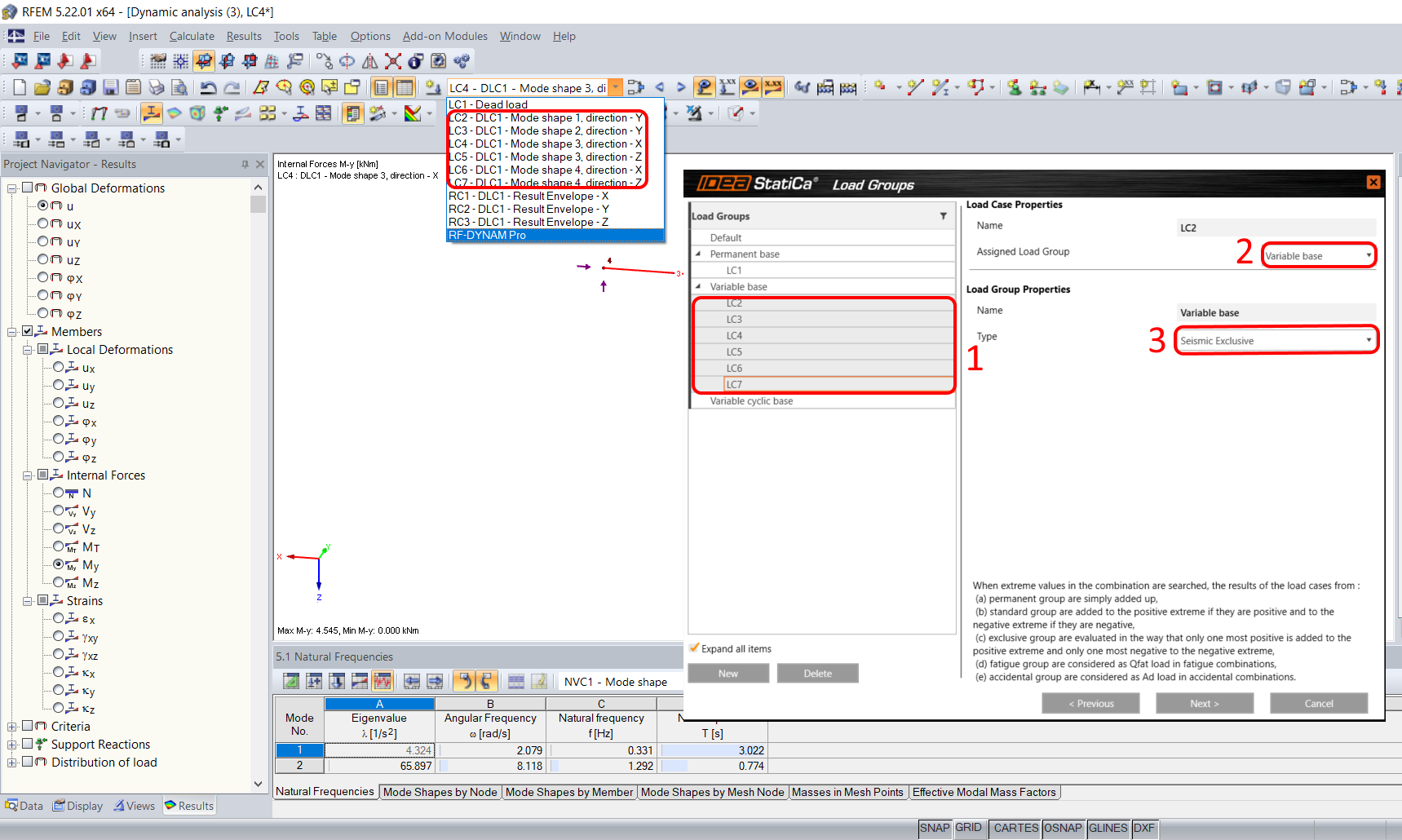
All dynamic load cases and load combinations have to be selected in the list and assigned to the Variable base group and the type has to be switched to Seismic Exclusive.
In the next step, you can see the result class envelopes created in RFEM/RSTAB imported as well. Change the type of combinations to ULS Seismic and the evaluation of combinations to Envelope.
In the last step, add all the processed result class envelopes to the list of items in the middle tab for analysis in IDEA StatiCa.
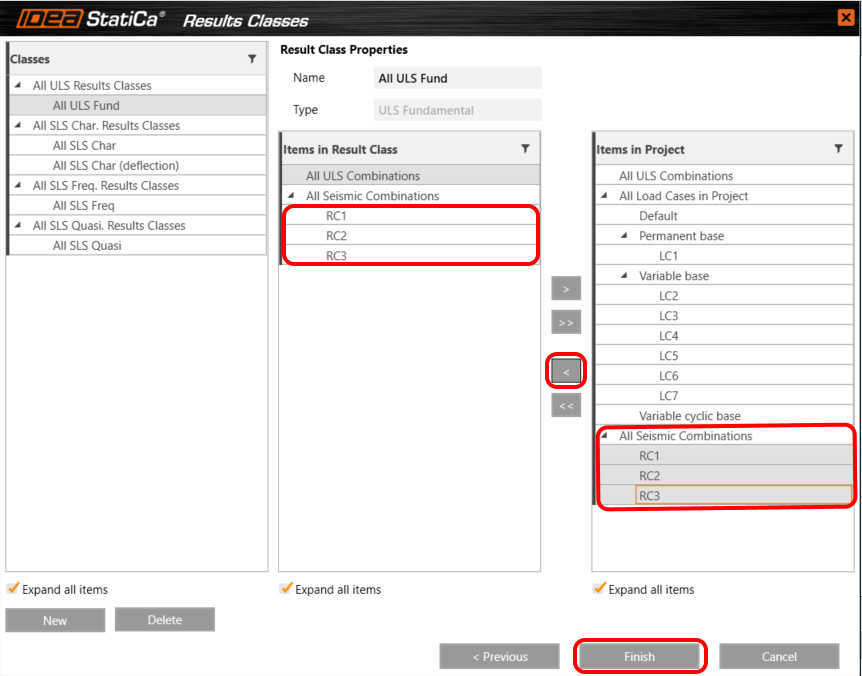
And click Finish and continue the workflow.
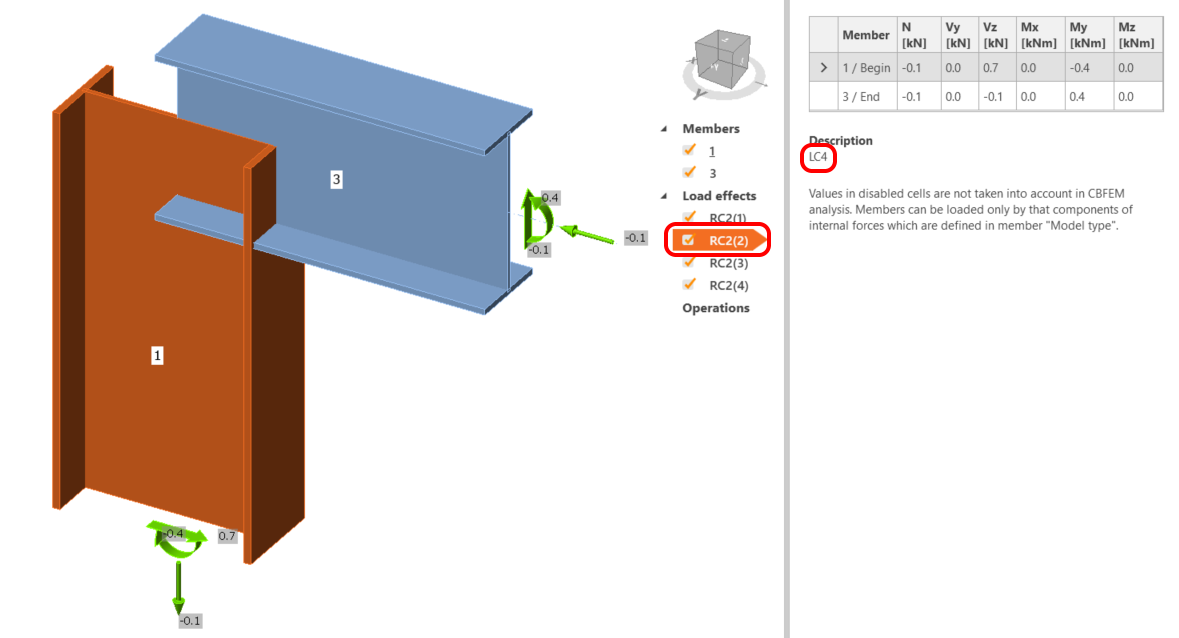
The dynamic load combinations are imported for calculation and code-check of the structural detail in IDEA StatiCa. IDEA StatiCa automatically finds the most unfavorable load case within the result class envelopes for each direction X, Y, and Z to reduce the calculation time and generates + or - complementary load case, so the analysis covers the dynamic swinging mass effect.

Note: SQRR and SQC combinations are not evaluated and eventually have to be added manually.